v1.23.0 - Discord Integration, Reset Scan, and Spring Cleaning!
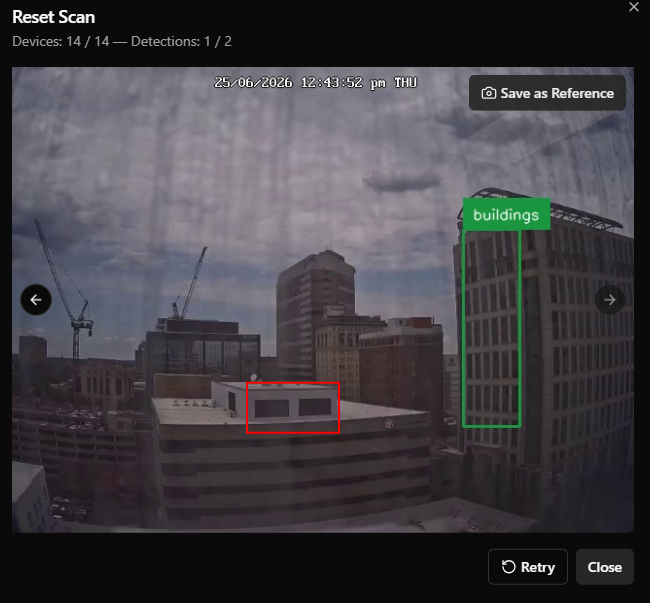
Get real time alerts and ensure games are reset correctly and ready to be played.
Discord Integration
If you’d like to receive Discord messages when:
Bookings are created
Inventory dips below the minimum quantity
Maintenance issues are created
Google reviews come in
Shift reports are sent
You can now link an existing discord channel to Drawbridge to receive alert messages for all of the above.
Setup instructions can be found here.
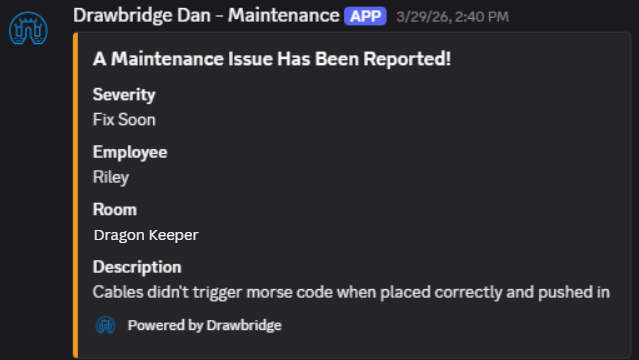
Reset Scan
Requires Games Module/GameSense and Physical Reset Tracking Turned On
Use game devices and cameras to scan a room and verify that it has been reset correctly. Details for setup and use of Reset Scan can be found here.
Editing Maintenance Tasks and Adding Photos
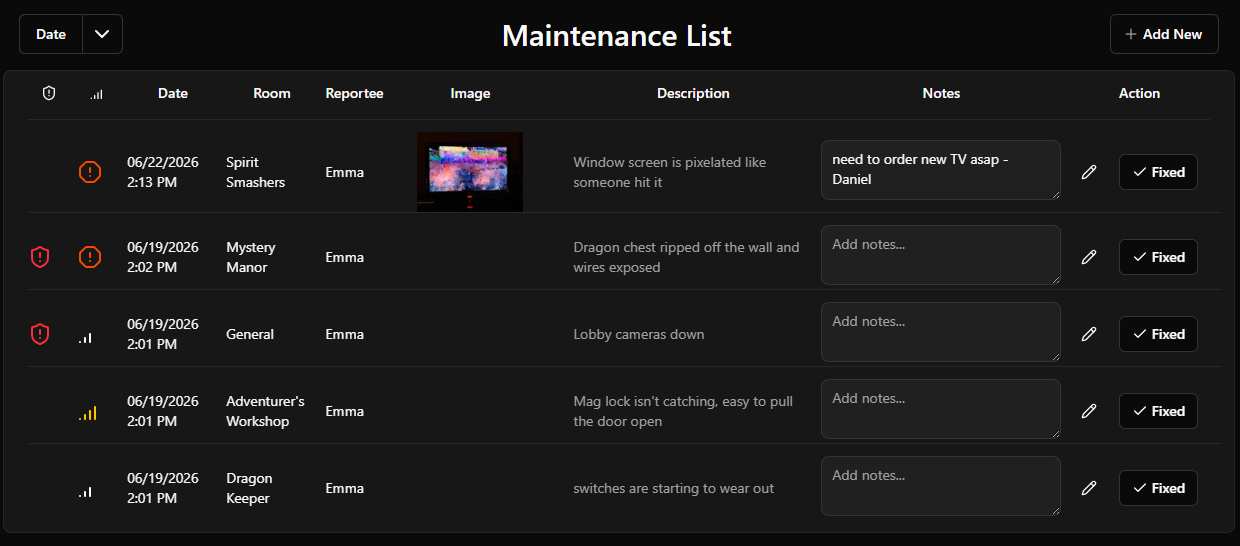
In the Maintenance List (found in the sidebar menu), you can now edit maintenance items or add photos to them.
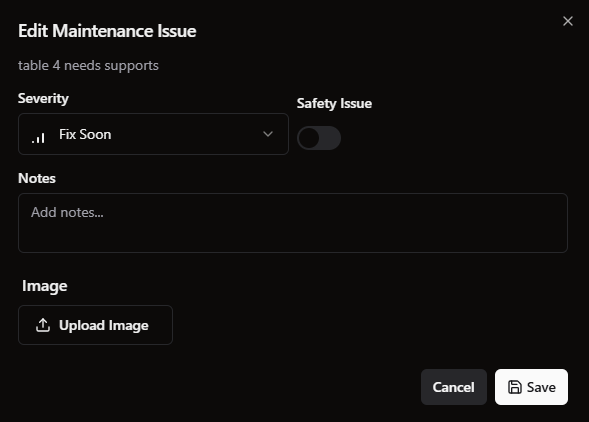
You can edit severity level, notes, if it’s a safety issue, or add an image. You cannot edit the original text of the issue.
The Operations Dashboard display was also improved to fit images.
Reclaim Games
There is now an option in the sidebar menu for “Reclaim Games,” which is intended to help you remap historical games to bookings if they were mapped incorrectly. When a group is still in the venue there are multiple ways to adjust booking/game mappings, but this table will help re-map them after they have left.
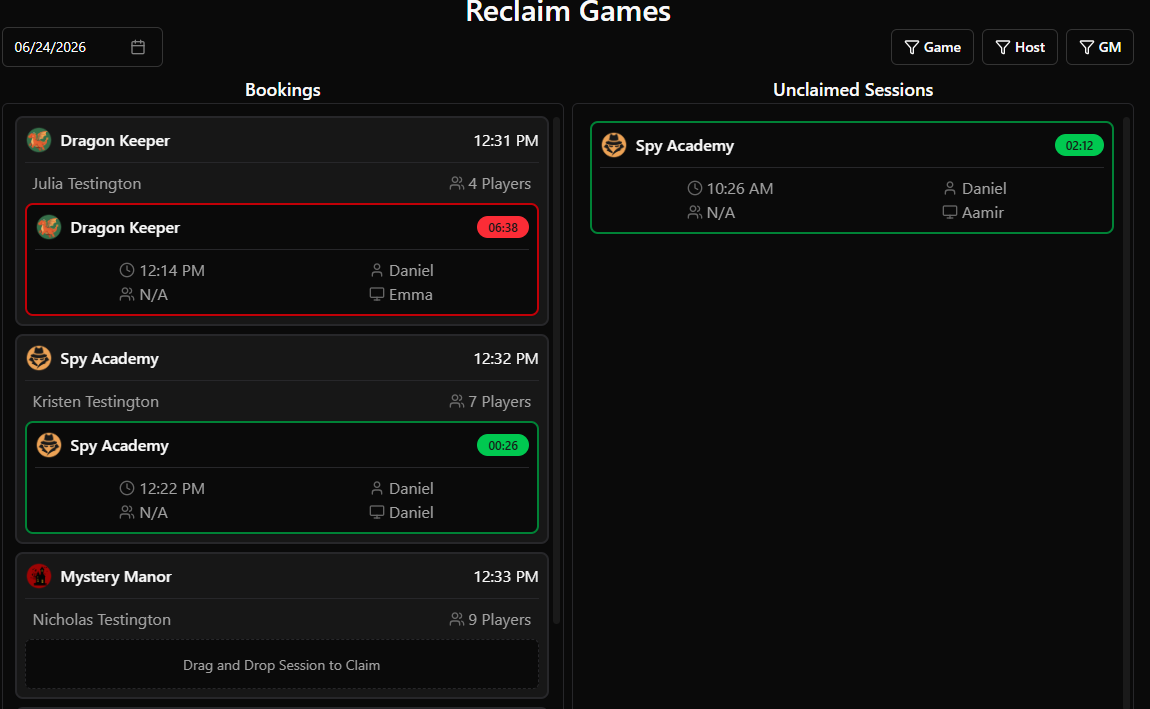
You can use the checkbox at the bottom to hide claimed bookings and see only unclaimed sessions (games that ran without a booking attached). You can then drag and drop unclaimed sessions into the bookings column to tie them together.
Recurring Goals
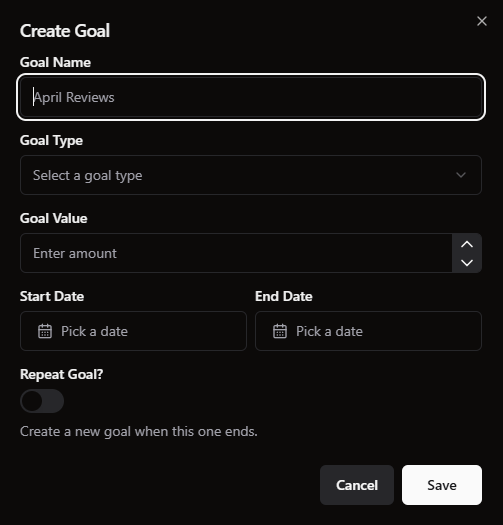
When you create a goal, you can now select if it should repeat. This will wait for the goal to end and create the same goal again the next day.
Game Forensics Reformatted
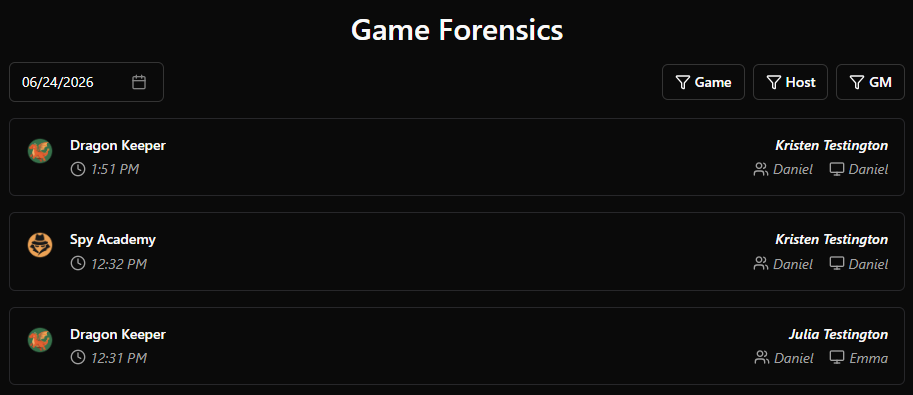
When you select a date, you’ll see all games for that day. You can also filter by game, game master, or game host. This makes it easier to scan through and learn about the games run on a specific day.
Camera Testing
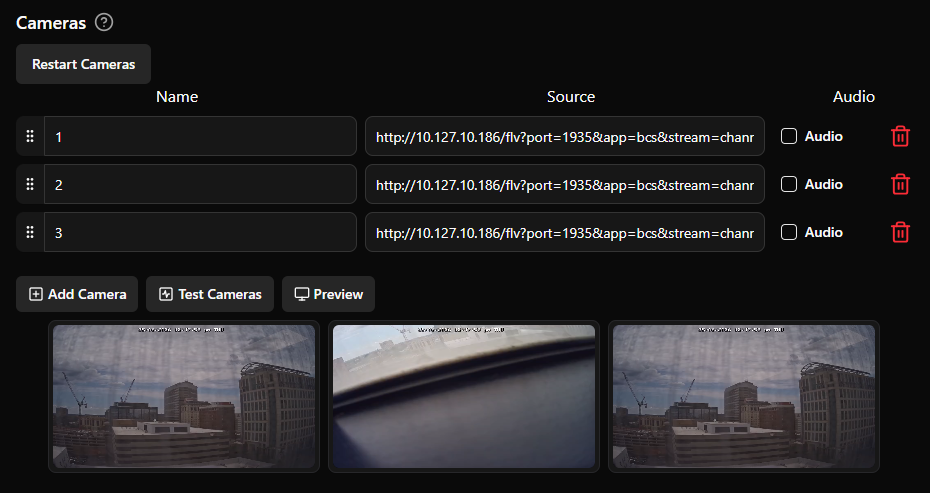
In Settings → Game Settings → Cameras, you’ll find two buttons: Test Cameras and Preview. Preview will bring up small versions of your live cameras.
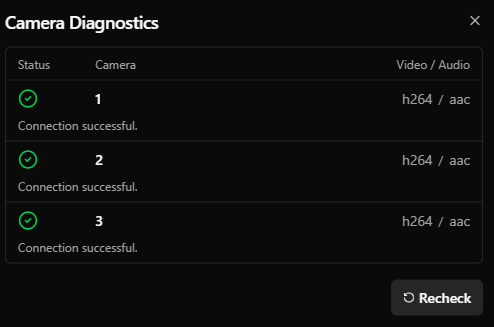
Test Cameras will bring up a menu with camera diagnostics that tell you about the camera connection status. This can help troubleshoot connection issues between your cameras and Drawbridge.
Bug Fixes/Small Changes:
Spring Cleaning UI Improvements:
Added icons for settings sidebar and tabs.
Standardized settings form submission save buttons for consistent styling.
Standardized date/time displays across the app to properly respect localization formatting (e.g. DD-MM-YYYY).
Improved custom hint dialog background opacity.
Email reports visibility improvements (alternating row colors, general styling).
Added descriptions to more game settings tabs for better context.
Users can set their own time zone: Settings → General Settings → Localization.
Default settings navigation directly to the currently enabled integration.
Timekeeping Improvements:
Widen sync date range to ensure modified data is properly synced.
Sync previous month before report in case anything changed.
WhenIWork MFA support.
Humanity login error flagging in integration statuses.
Homebase: Track unpaid time off.
Point of Sale Improvements:
Widen sync date ranges for more robust data refreshing.
Sync recent transactions in addition to recent bookings to ensure future bookings purchased today are counted for revenue and rebookings.
Ensure Resova bookings are checked in when bookings are claimed in Drawbridge.
Playbook Improvements:
Added condition for objective completions.
Countdown display will properly display line breaks.
Fixed sound effects not able to be played multiple times in a row.
Training Tracker
Properly re-tracking game resets for games that had been deactivated and reactivated.
Sort games by name alphabetically.
DEPRECATED: The “Drawbridge Name” override for games has been removed to prevent out of sync names where the Drawbridge Name overrides a name change. Game names should be managed within the source game control system (Playbooks, Mythric, COGS).
Magic Moments and Game Forensics pages return to selected date when you use the back arrow.
Game reset notifications in navbar would show deactivated games.
Inventory filters were not always working properly when not on first page.